Make a short AI video with Google Flow, start to finish
Google Flow is Google’s tool for making short films with AI. You describe a shot in words, and it makes a video clip of a few seconds, with sound. Put several clips in a row and you have a short film, a reel or an ad. This guide takes you from one idea to a finished 30-second video, and says what is free right now.
Is Flow free?
Partly. The free tier gives you 50 credits a day, and they don’t roll over. A day’s credits make about five Veo 3.1 Lite clips or two Fast clips. The paid Google AI plans (Plus, Pro and Ultra) add monthly credits.
Open labs.google/flow with your Google account to see what you get.
From idea to video in six steps
- One idea in one line. “A chai seller opens his stall at dawn while the rain starts.” One place, one or two characters, one feeling.
- Split it into shots. Five or six shots of five to eight seconds each make a 30-second video. Write one line per shot: who, where, what happens, and how the camera sees it (“close up”, “wide”, “slowly moving in”).
- Fix your characters first. Describe each character once, in detail, and reuse the same words in every shot. Flow can also keep a character from a picture you give it. Without this, your chai seller gets a new face in every clip.
- Make each shot, cheaply first. Use the faster, cheaper setting while you get the shot right. Make the final version in better quality only once the words work.
- Pick and arrange. Choose the best take of each shot and put them in order in Flow’s scene view, or download them and join them in a free editor.
- Finish it. Add a title at the start, music or a voice, and a last frame that says what to do next (follow, visit, call).
Making your credits last
- One action per shot. Ten things in one prompt gives a muddle.
- Copy the same character lines into every shot.
- Test cheaply, then make the final quality.
- Plan the shots first. Your free credits go a long way when every clip has a purpose.
Videos without AI footage
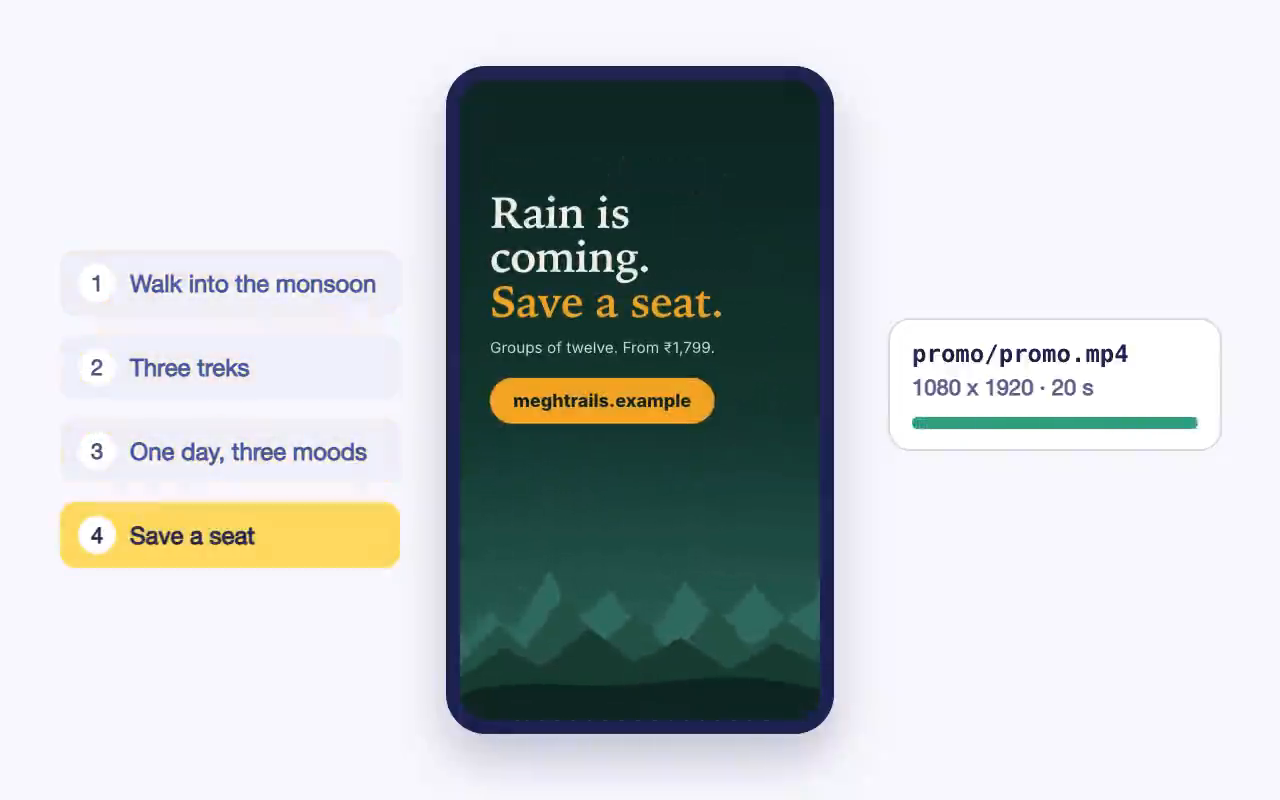
Not every video needs generated footage. The promo below was made by Claude Code from our sample website, using code to animate the site’s own pictures and text. It costs no video credits, and you can change any word and make it again.
Where this fits in our course
The Film project, where Claude plans the shots and drives Flow for you, is still being written; its lessons are not open yet. The website project’s promo video, like the one above, is part of the course today. Join the waitlist and we’ll tell you when the Film lessons open. Meanwhile, the free lesson below shows how Claude Code works on your own computer, which is how the Film project will run too.