Claude Code for beginners who have never coded
Most Claude Code tutorials are written for programmers. They open a terminal in the first minute and assume you know what a repository is. This guide is for everyone else: you have used ChatGPT or Claude in a browser, and you want to make something real with it.
What Claude Code is
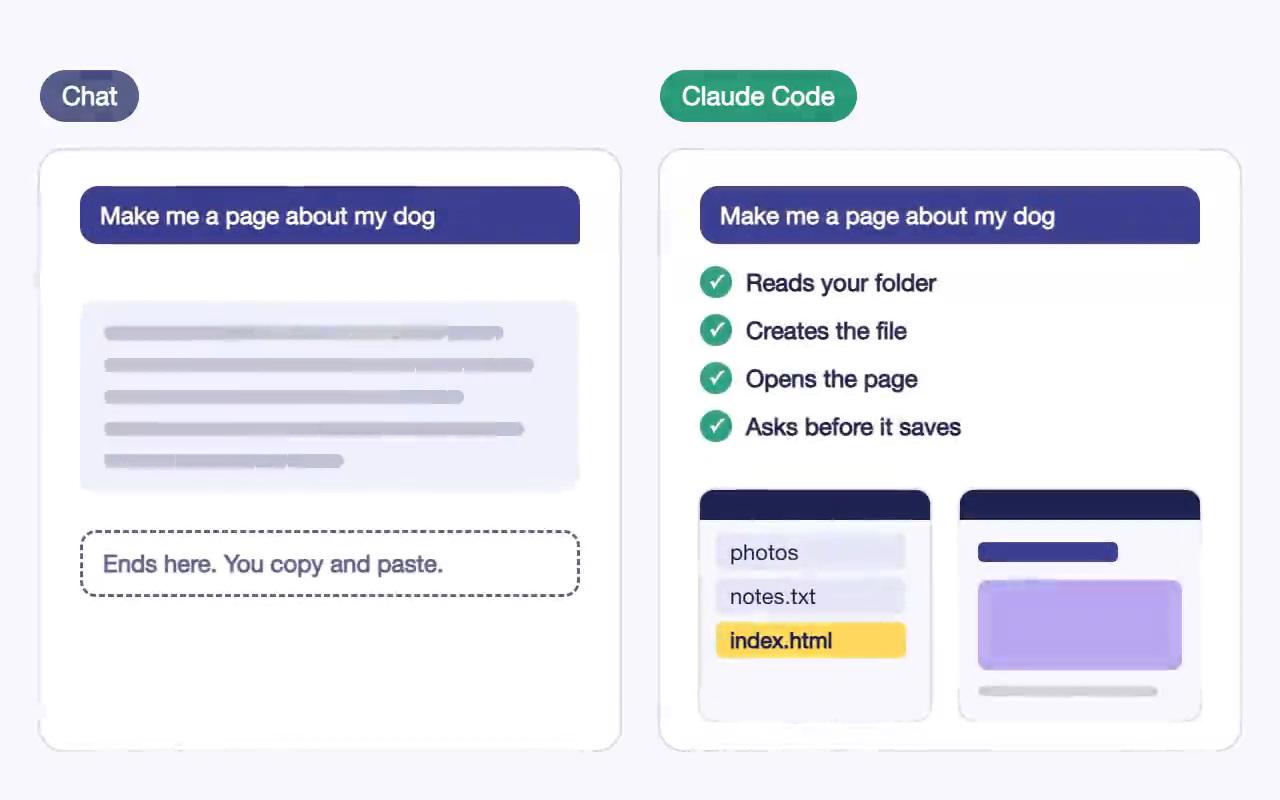
Claude Code is Claude with hands. In the chat window, Claude can only write you an answer, and you copy it somewhere yourself. Claude Code works inside a folder on your computer. It can read the files there, make new ones, change them, run small programs and open the result in your browser. You say what you want in plain words, and it does the work in front of you.
It asks before it changes anything. Each time, you see what it wants to do and you choose to allow it or not. That one habit, reading the request before you say yes, is most of what keeps a beginner safe.
What you need
- A paid Claude plan. Claude Code is not part of the free plan. Claude Pro is the smallest plan that includes it. In India it costs about ₹2,000 a month; our Claude Pro price guide has every figure.
- A Mac or Windows laptop from the last few years, with some free space.
- The Claude app for your computer, from claude.ai/download. Claude Code is inside it, so you don’t have to start with the terminal. You can move to the terminal later if you want to.
Your first hour
- Make an empty folder for your project and open it in the Claude app.
- Ask for something small and visible: “Make a one-page website about my favourite food, with a photo and three short sections.”
- Read what Claude says it will do, then allow it.
- Open the page in your browser and look at it.
- Ask for one change at a time: a different colour, a bigger title, a new section.
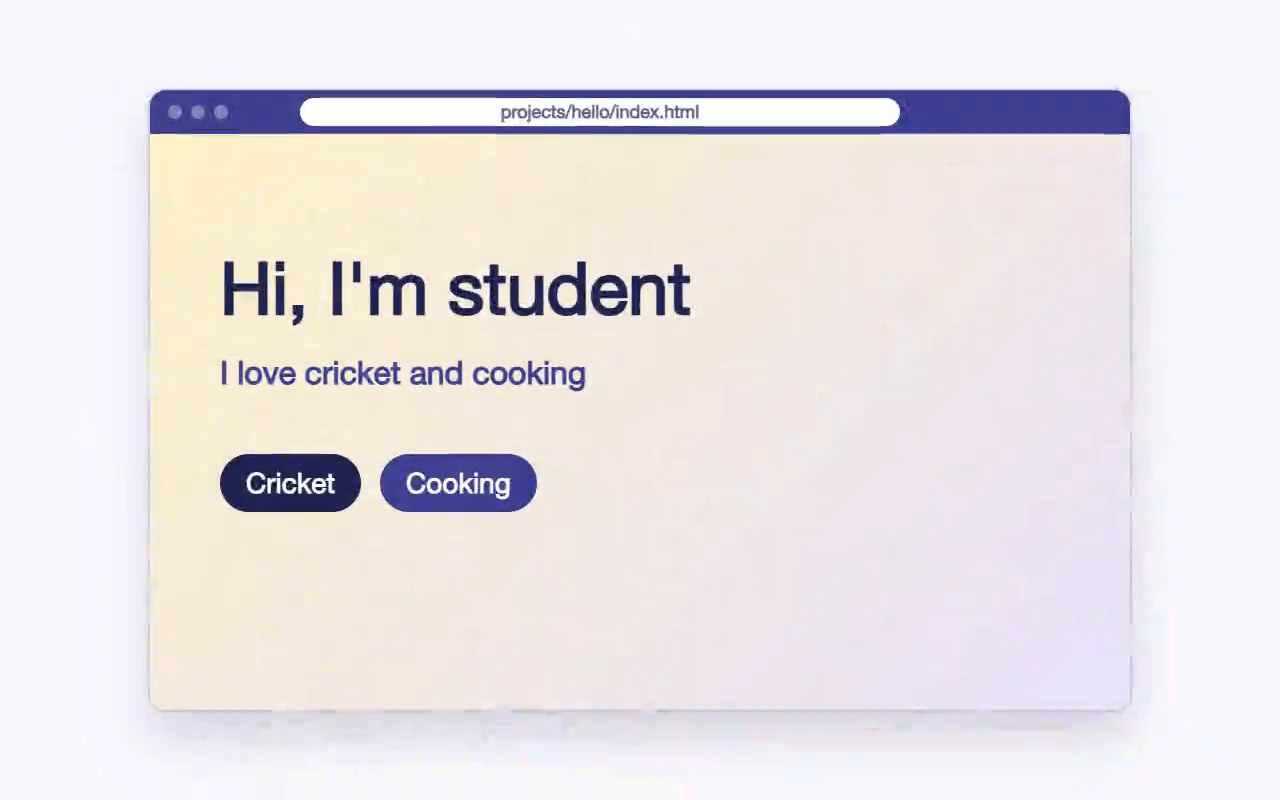
The skill you are learning is asking clearly and checking what came back. Claude writes the code. You decide what you want and whether it is right.
Undo is your safety net
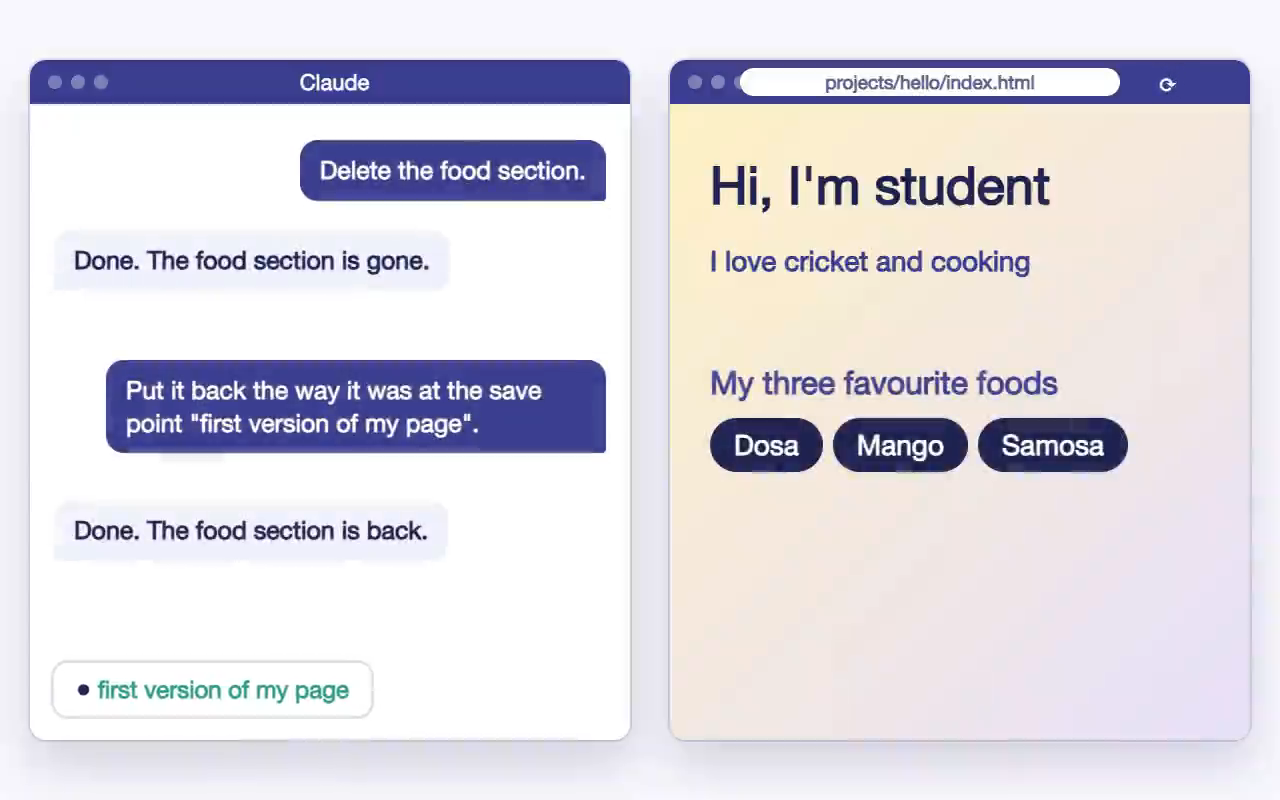
Beginners worry about breaking something. Claude Code keeps checkpoints as it works, so you can go back. Type /rewind, or press Esc twice, and pick the moment you want to return to. Try it early, on purpose, before you need it. Once you have undone a change yourself, you will try bolder things.
Habits that help
- Be specific. “Make the title twice as big and dark blue” gets you what you meant. “Make it better” gets a guess.
- Read the permission question. It tells you which file will change.
- One folder per project. Open that folder in Claude, nothing bigger.
- Keep requests small. They are easier to check, and they use less of your plan’s limit.
Learning it with other people
You can learn all of this alone from the official docs and free videos. Many people stall around the second day, when the first idea is done and they don’t know what to ask next. A class with a facilitator gets you past that. Someone is in the room when you are stuck, and you finish three projects (a website, an app and a short video) that you put online yourself.
Start with the free lesson below. It explains the difference between chatting with Claude and working with Claude Code, with no setup needed.